
ClickUp vs Asana: Pricing, Features, and Which Team Each One Fits

Pick Asana if your team is small, your work is straightforward, and you want a tool that works well on day one. Pick ClickUp if you run an ops-heavy team: agencies, professional services firms, or any company juggling multiple clients and departments. ClickUp’s paid plans start at $9/user/month vs Asana’s $10.99.
The short version of ClickUp vs Asana: Asana is quicker to set up and easier to learn. ClickUp has the lower per-seat price, native time tracking, and a deeper hierarchy, but it requires thoughtful setup to avoid clutter.
Full disclosure: ZenPilot is ClickUp’s first and highest-rated Solutions Partner. We have a horse in this race, so weight my opinion accordingly.
This comparison comes from helping over 3,100 clients get their operations running in ClickUp. Below: features, pricing, free plans, AI, and the teams that should pick Asana instead.
- You run an ops-heavy team: an agency, professional services firm, or company juggling multiple clients and departments.
- You need native time tracking, workload management, and a lower per-seat price past 10 users.
- You want deeper hierarchy and custom views for operational complexity.
- You’ll commit to doing the implementation right. ClickUp rewards teams that invest in structure.
- Your team is small and your work is straightforward.
- You want a polished tool that works well on day one.
- You don’t need time tracking or client reporting and have no appetite for setup work.
- You want a gentle learning curve and can live with less customization.
What ClickUp and Asana Each Do
ClickUp is an all-in-one suite. Teams use it to manage tasks, create reports, and edit documents together in real time. It also has team chat and whiteboards.
Asana is a project management platform with web and mobile apps. You can track project progress, assign individual tasks, plan sprints, and connect third-party integrations.
ClickUp vs Asana: Key Takeaways
ClickUp offers more features for less money
ClickUp’s paid plans start at $9/user/month vs Asana’s $10.99/user/month, and ClickUp has native time tracking, workload management, and 1,000+ integrations.
Asana is easier to set up out of the box
If your team needs a polished, low-friction tool with a gentle learning curve, Asana has the edge. The tradeoff is less customization.
ClickUp wins for operational complexity
Its deeper hierarchy, custom views, and built-in chat make it the stronger choice for agencies, professional services teams, and organizations managing multiple clients or departments.
ClickUp Brain has more transparent AI pricing
AI is included in every ClickUp plan as of October 2026, with a monthly pool of AI credits and multi-model access, so ClickUp’s AI is a known cost. Asana’s AI Teammates require contacting sales for credit-based pricing.
ClickUp vs Asana Features: Where Each One Wins
Core Features: A Tie
Both tools cover the basics: task management, recurring tasks, dependencies, a Chrome extension, and mobile apps for iOS and Android.
ClickUp adds time tracking, whiteboards, real-time team chat, custom views, custom fields, reporting and workload management, and integrations and automations.
Asana adds advanced search, video responses on tasks, and color-coded project icons.
I call this one a tie. Both lists are long, and the real difference is how customizable you want those features to be.
Views: ClickUp Has More Views for Less Money
Depending on your plan, ClickUp gives you Kanban, Gantt, Form, and Timeline views. You can also set different default views for separate areas of your Workspace.
That matters when multiple departments share one Workspace. The marketing team might work best with Kanban boards while operations prefers a Gantt chart. With ClickUp, you don’t have to choose.
Asana’s free Personal tier comes with List, Board, and Calendar views. Gantt charts and Milestones come with the Starter plan, and the portfolio view for high-level monitoring of all active projects is in the Advanced tier.
ClickUp wins here. It has more views for less money, and you can customize them or create personal view settings that only you can use.
Team Communication: ClickUp Has Real-Time Chat, Asana Has Task Comments
ClickUp has a chat view with real-time channels that feels quite similar to Slack. If most of your team is already in ClickUp, you can @mention any user in your Workspace from the chat view.
ClickUp’s Slash Commands also help you format and manage messages quickly. It feels like writing in Notion, but inside Slack’s UI.
Asana takes a feedback-based approach. Your messages are comments left on a task rather than real-time conversations.
The benefit of Asana’s approach is that it’s easier to keep track of important information without reading through a backlog. The downside is that it can be hard to build a collaborative team culture without a real-time way to share ideas.
ClickUp takes this one, since it has its own native mini-Slack built into the platform.
Integrations: ClickUp Has 1,000+ Native Integrations
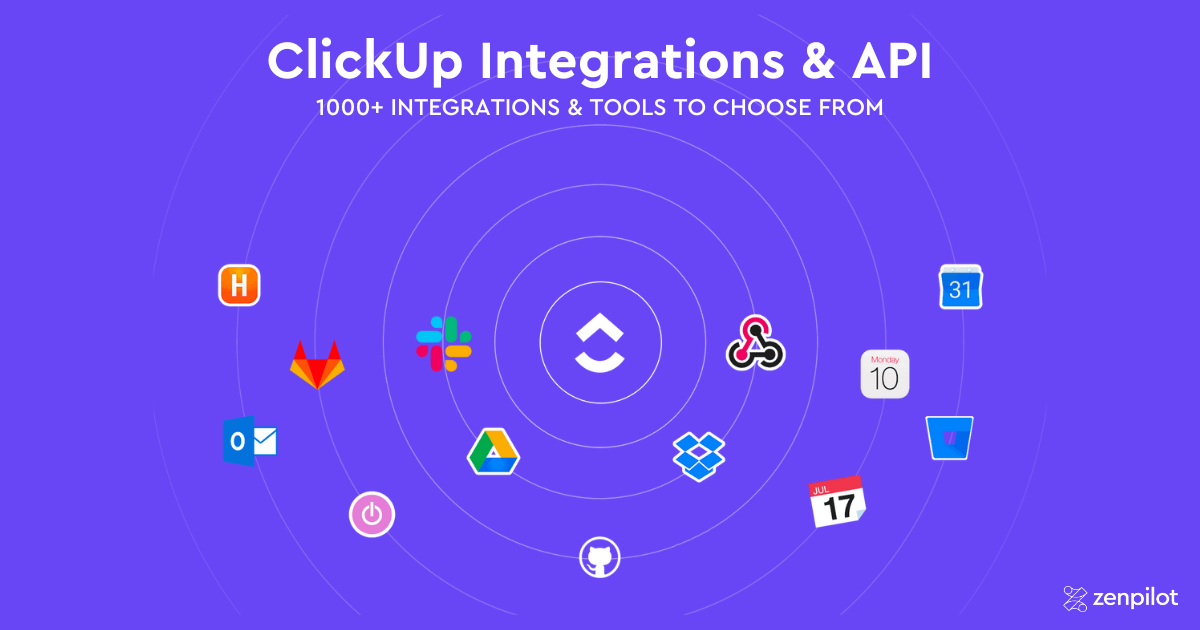
ClickUp has over 1,000 native integrations, so odds are good it already connects to the tools you use. The most popular include Microsoft Teams, Google Calendar, Google Drive, Slack, Zoom, and Miro.
About 80% of ZenPilot clients use ClickUp’s native time tracking. If it doesn’t fit, you can use Everhour, Harvest, Timeneye, Timely, TimeCamp, Time Doctor, TMetric, or Toggl instead.
ClickUp also has a public API for custom integrations and ClickUp apps, and you can use Zapier or Make to go beyond the native list.
Asana integrates with popular apps like Slack, Hubstaff, Salesforce, and Cliq. Cliq is the notable one, since it could cover some of Asana’s real-time communication gap.
Asana also has a full public REST API and developer platform, so custom integrations are on the table with either tool. The practical difference is how often you need them. ClickUp’s native gallery is several times larger, so fewer workflows need custom builds or middleware in the first place.
ClickUp wins on integrations.
Ease of Use: Asana Is Easier to Learn
Asana is ready out of the box and has a noticeably gentler learning curve. It doesn’t have nearly as much customization for optimizing your workflow or automating processes, and that simplicity makes it easier for new users.
There are still a few pitfalls. For instance, it’s really easy to set your notification preferences in a way that gets you spammed with emails. It’s a good idea to go through a course or two in the Asana Academy.
If you only use ClickUp’s basic features, it’s easier than most people think. Learn the task hierarchy first, since that’s the one thing most beginners get tripped up on.
Once you have that down, ClickUp feels similar to other project management software - just with more flex, for better or worse.
ClickUp has detailed tutorials for everything from getting started to advanced features. If you’re an agency or professional services team, watch this webinar on ClickUp for agencies.
Asana wins ease of use. It’s a lot quicker to set up and the learning curve isn’t as steep.
Download the Complete ClickUp for Agencies Guide
The 47-page guide includes graphics, checklists, and links to how-to videos so you can put your ClickUp plan into action.
Get Instant Access →ClickUp vs Asana Pricing
ClickUp’s paid plans start at $9/user/month and Asana’s start at $10.99/user/month. Both have a free plan, but the free plans are built for different team sizes.
ClickUp Pricing: Free Plan, Then $9/User/Month
ClickUp’s free plan gives you 60 MB of cloud storage, most of the core collaboration features, and as many members in your Workspace as you need.
The Core tier (formerly Unlimited) has unlimited storage, unlimited integrations, and agile reporting for $9/month per user, billed annually.
The Business tier is $17/month billed annually or $25/month billed monthly. It adds Google SSO, advanced automations, advanced time tracking, and workload management, which could be useful to larger organizations.
Here’s the full set of tiers, including Business Plus and Enterprise:
| ClickUp Plans | Free | Core | Business | Business Plus | Enterprise |
|---|---|---|---|---|---|
| ClickUp Pricing | Free | $9/month/user | $17/month/user | $28/month/user | Custom pricing |
| Customer Support | 24/7 Support | 24/7 Support | 24/7 Support | 24/7 Support | Priority Support |
| Storage Capacity | 60 MB | Unlimited | Unlimited | Unlimited | Unlimited |
| Top Features | Unlimited Tasks | Custom Fields | Workload & Timesheets | Custom Permissions | Microsoft, Okta & SAML SSO |
Pricing updated November 2026, billed annually. For the full plan breakdown, see our guide to choosing a ClickUp pricing plan.
If ClickUp is your pick, you can buy licenses through ZenPilot at ClickUp’s official rates, with a Solutions Partner helping you choose the tier.
Asana Pricing: Free for One or Two People, Then $10.99/User/Month
Asana’s free Personal plan gives you unlimited storage as long as none of your files are larger than 100 MB. It’s now built for one or two people, so you can’t bring the whole team in for free the way you can with ClickUp’s uncapped free plan.
Asana’s Enterprise plans are quote-based and flex depending on the customer’s needs. Here are the base plans:
| Asana Plans | Personal | Starter | Advanced | Enterprise |
|---|---|---|---|---|
| Asana Pricing | Free | $10.99/month/user | $24.99/month/user | Custom pricing |
| Customer Support | Email Support* | Email Support* | Email Support* | Priority Support |
| Storage Capacity | Unlimited (100 MB per file) | Unlimited (100 MB per file) | Unlimited (100 MB per file) | Unlimited (100 MB per file) |
| Top Features | 100+ integrations | Workflow Builder | Workload | SAML, SCIM |
*24/7 priority support is available for Asana Enterprise customers
Asana pricing verified November 2026.
ClickUp vs Asana AI: ClickUp Brain vs Asana Intelligence
Asana Intelligence includes Smart Summaries (project and portfolio summaries), AI Studio (a no-code AI workflow builder), and AI Teammates (AI agents you assign work to alongside humans). AI Teammates can handle risk prediction, generate portfolio reports, and manage structured workflows like marketing campaigns and IT ticketing.
The catch: basic AI summaries are included on paid plans, but AI Teammates are restricted to AI Studio Pro customers. That’s an add-on with credit-based pricing that requires contacting sales.
ClickUp Brain got a full relaunch in June 2026 as Brain 2, replacing the original Brain. It has workspace-wide knowledge retrieval (ask questions about your tasks, docs, and comments), automated standup reports, AI writing, and Super Agents - AI “coworkers” that can be @mentioned, assigned tasks, and put on schedules.
Brain also supports multi-model access (GPT-5, Claude, o3) and MCP integration for connecting external AI tools like Claude and ChatGPT directly to your Workspace.
Where Asana’s AI Has the Edge
Asana’s portfolio-level risk prediction is more mature. It flags at-risk projects and proposes re-aligned schedules when dependencies are threatened. If portfolio visibility is your primary concern, Asana’s AI layer is genuinely impressive.
Asana’s cleaner UX also makes its AI features more discoverable. ClickUp’s depth can sometimes bury useful AI capabilities.
Where ClickUp Brain Has the Edge
ClickUp Brain’s knowledge retrieval is deeper. You can ask plain-language questions about anything in your Workspace and get answers drawn from tasks, docs, and comments. Asana’s AI is stronger at portfolio-level synthesis but weaker at workspace-wide Q&A.
ClickUp lets you pick between GPT-5, Claude, and o3 depending on the task. Asana uses a single model.
ClickUp’s AI pricing is also published. AI is included in every ClickUp plan as of October 2026, with a monthly pool of AI credits per plan (1,000 per user on Core, 1,500 on Business, 2,000 on Business Plus) and extra credits at $10 per 10,000. Asana’s AI Teammates pricing is opaque and likely more expensive at scale.
For more on ClickUp’s AI, see our complete ClickUp AI guide and our hands-on review of ClickUp Brain 2 for what the relaunch changed.
ClickUp vs Asana: Pros and Cons
ClickUp Pros and Cons
| ClickUp Pros | ClickUp Cons |
|---|---|
| Most powerful + flexible PM | Longer learning curve |
| Frequently release new features | A few bugs on newly released features |
| 1,000+ integrations | Requires thoughtful setup to avoid clutter |
Asana Pros and Cons
| Asana Pros | Asana Cons |
|---|---|
| Unlimited free storage (max 100 MB file size) | Higher per-user cost |
| Less tinkering needed to get started | Free plan limited to 2 users |
| 200+ integrations | Admin console locked to paid tiers |
Asana vs ClickUp: Which One Should You Pick?
Same disclosure as the top of this post: we have a horse in this race. Here’s my take anyway.
Pick Asana if your team is small, your work is straightforward, and you want a tool that works well on day one. Asana’s polish is real. A 5-person team running simple projects with no time tracking, no client reporting, and no appetite for setup work will be happy with Asana and probably never miss what ClickUp offers.
Pick ClickUp if you run an ops-heavy team: agencies, professional services firms, or any company juggling multiple clients and departments. The deeper hierarchy, native time tracking, workload management, and lower per-seat price add up fast once you cross 10 users. That’s the profile of nearly every one of the 3,100+ clients we’ve worked with, and it’s why we built our business on ClickUp instead of Asana.
The catch with ClickUp is setup. It rewards teams that invest in structure and punishes teams that wing it. If you go with ClickUp, commit to doing the implementation right.
Related: If you’re comparing multiple tools, check out our other head-to-head comparisons: ClickUp vs Monday, ClickUp vs Trello, ClickUp vs Notion, ClickUp vs Jira, and our full guide to choosing the best project management tool.
We’ll Build Your ClickUp Workspace for You
ZenPilot’s Blueprint process designs and builds your ClickUp Workspace around your team’s actual workflows - no guesswork, no wasted setup time.
Learn About the Blueprint →How to Migrate from Asana to ClickUp
If you’ve decided ClickUp is the right move, here’s how to approach the migration:
- Audit your Asana workspace. List every project, section, and custom field you’re actively using. Identify which Asana projects map to ClickUp Lists, which portfolios map to Folders or Spaces, and which workflows you want to redesign rather than replicate.
- Map your custom fields and project statuses. Asana’s custom fields translate to ClickUp Custom Fields. Asana sections become ClickUp Statuses or task groups. Build a mapping document before you start moving anything.
- Export your Asana data. Use Asana’s built-in CSV export at the project level. Export each project individually and include custom fields, assignees, due dates, and descriptions. You’ll need to download attachments separately.
- Build your ClickUp hierarchy first. Set up your Spaces, Folders, Lists, and default views before importing any data. ClickUp’s deeper hierarchy is one of its biggest advantages over Asana, so take time to design it around how your team works.
- Import data and rebuild templates. Use ClickUp’s CSV import to bring in your tasks. Then rebuild your most-used Asana project templates as ClickUp templates, with due date remapping, time estimates, and dependencies included.
- Train your team and run parallel for 1-2 weeks. Asana users are accustomed to a simpler interface, so budget extra time for training on ClickUp’s views, hierarchy, and features. Running both tools briefly helps your team build confidence before fully switching.
Need help? ZenPilot has migrated hundreds of teams from Asana to ClickUp. Book a call and we’ll walk you through the process.
More ClickUp Comparisons
- ClickUp vs Monday.com - the most popular comparison
- ClickUp vs Wrike - flexibility vs enterprise
- ClickUp vs Basecamp - simple vs powerful
- ClickUp vs Smartsheet - spreadsheet vs modern platform
- ClickUp vs Teamwork.com - built for service teams
- ClickUp vs Trello - when teams outgrow Kanban
- ClickUp vs Notion - work management vs knowledge management
- ClickUp vs Jira - project management vs issue tracking
- ClickUp vs Airtable - work management vs database-first
- ClickUp vs Todoist - team operating system vs personal task list
- ClickUp vs SmartSuite - agency work management vs no-code work platform
Frequently Asked Questions
What is Asana?
Asana is a project management platform that helps teams organize, track, and manage work through web and mobile apps. It’s known for its clean interface, straightforward task assignment, and portfolio views, which makes it a popular choice for teams that want a polished tool that’s ready out of the box.
Is ClickUp cheaper than Asana?
Yes, on per-seat price. ClickUp’s paid plans start at $9/user/month (Core, billed annually) vs $10.99/user/month for Asana Starter. The next tier up is $17/user/month for ClickUp Business vs $24.99/user/month for Asana Advanced.
Asana vs ClickUp free version: which is better?
It depends on team size. ClickUp’s free plan lets you add as many members as you need but caps storage at 60 MB. Asana’s free Personal plan has unlimited storage (100 MB per file) and List, Board, and Calendar views, but it’s built for one or two people.
Is ClickUp better than Asana for agencies?
For most agencies, yes. ClickUp’s deeper hierarchy lets you organize work by department, client, and project, then zoom out to see everything in one view. Add native time tracking, workload management, and a stronger template system, and operations leaders get visibility across the entire business.
Is ClickUp harder to use than Asana?
Yes. ClickUp has a steeper learning curve because it has significantly more customization and features. Asana is quicker to set up and easier for new users to navigate out of the box. Teams that invest in proper setup (or work with a ClickUp implementation partner) end up with a system that handles far more of their operational needs.
Can you use ClickUp and Asana together?
It’s technically possible through Zapier or Make, but it’s not recommended. Running two project management systems creates duplicate work, split context, and confusion about where tasks live. Most teams are better served by choosing one platform and committing to it.
Which is better for large teams, ClickUp or Asana?
ClickUp is generally the stronger choice for large teams. Its workspace-level views, custom fields, and native workload management let you see capacity and progress across the entire organization, beyond a single project. Asana’s portfolio view gives some high-level visibility, but ClickUp has more granular operational reporting as your team scales.
Want Help Making the Switch Work?
Choosing ClickUp over Asana only pays off if your team actually adopts it. The tool is flexible enough to become a mess without a clear structure behind it.
That’s what our ClickUp consultants do at ZenPilot. We look at how your team runs ClickUp today, show you exactly what to fix, and help you roll out the fixes in a way your team will adopt instead of ignore.
If you want that kind of look at your workspace, book a free 30-minute call. Worst case, you walk away with a shorter list of things to worry about.